A good voice makes ordinary content feel professional. Clear, natural narration keeps people watching, builds trust, and makes your videos, podcasts and courses easier to follow.
Not long ago, that meant a decent microphone, a quiet room and a lot of retakes. Today an AI voice generator turns a script into natural speech in seconds, in dozens of languages and accents.
The catch is that these tools are not interchangeable. Some chase realism, some are built around video workflows, some win on price. This guide compares eight of the best options in 2026, so you can pick one without losing a month to trials.
Why AI voice matters for creators
Text-to-speech used to sound like an old GPS: flat, robotic, instantly recognizable. That is over. In 2026 the best AI voices are often hard to tell from a human recording, and they are changing how content is made, translated and published.
For YouTubers, podcasters, course creators and marketers, the benefits are practical. You skip the recording sessions, fix a mistake by editing one line, and update old videos without re-recording anything. A creator in Athens can narrate for an American audience, and a teacher in Manila can publish the same course in Spanish the same afternoon.
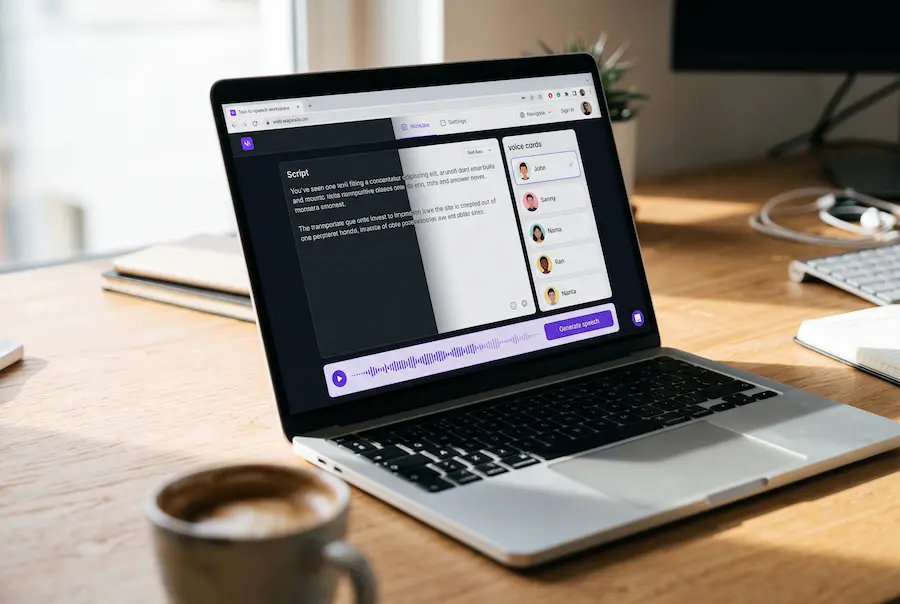
Illustrative mockup. Every tool in this guide follows this same basic flow: paste a script, pick a voice, tweak, generate, export.
The market is crowded, though, and prices range from generous free plans to enterprise contracts. Voice realism, licensing, language support and workflow tools differ a lot from one platform to the next. That is exactly what the rest of this guide sorts out.
How to choose: what actually matters
Before comparing tools, it helps to know what you are judging them on. A tool that wins in one area is often average in another.
Voice quality and realism
This is the big one. Does the voice pace itself naturally, stress the right words, and sound like it understands the sentence? Can it handle brand names, technical terms and odd punctuation without stumbling? Modern neural text-to-speech models read a sentence in context instead of stitching sounds together, and that is what you are listening for.
Voice cloning
Many platforms can now build a digital copy of a voice from a short sample. It is handy for keeping a consistent brand sound, or for narrating with your own voice without sitting at the microphone. Quality varies widely, and so do the consent rules (more on that in section 11).
Languages and accents
If your audience is international, language coverage matters. Check not just the number of languages, but whether your language sounds as good as English. For English, the choice between American, British or Australian accents also changes how authentic the result feels.
Control
Can you adjust speed, pitch, pauses and pronunciation? Can you change the emotion of a line? Fine control is usually what separates a pro tool from a basic reader.
Pricing and commercial licensing
Free plans are great for testing, but they often block commercial use, cap your monthly output or require attribution. If your videos earn money, read the license of the exact plan you use.
Workflow and API
Video editor integrations, team features and an API can save hours if you publish often. They are less important if you only voice a video now and then.
Paste the same script into every tool you try and tick the boxes as you listen. Swap in your own name, product and numbers.
The one rule that saves money: never choose from a demo reel. Demos are made with the best voice and a perfect script. Test with your own text, in your own language, before you pay.
ElevenLabs: the premium standard
ElevenLabs is the benchmark most AI voice generators get measured against. Its voices handle pacing, emphasis and emotion with a naturalness that is hard to beat in 2026.
ElevenLabs started as a text-to-speech startup and is now used by YouTubers, publishers, game studios and developers. What sets it apart is the small stuff: where a voice takes a breath, how it leans on a key word, how a question sounds different from a statement.
That makes it a strong fit for audiobooks, YouTube narration and long explainers, where a flat voice gets tiring after two minutes. Voice cloning lets you build a digital copy of your own voice, so every video keeps the same sound without another recording session.
Two things to watch. The free plan has no commercial license, so a monetized channel needs a paid plan from day one. And usage is counted in credits, which long projects burn through quickly. Estimate your typical script length before you commit.
Strengths
The most natural voices in this list, strong cloning, a huge voice library and an API on paid plans.
Watch out for
Credits disappear fast on long-form work, and the free plan cannot be used commercially.
Best for: audiobook creators, professional YouTubers, podcasters, educators, and anyone who wants top voice quality and cloning.
Murf AI: best for professional video
Murf is built for people who need more than a text box. It combines voice generation, video syncing, collaboration and media management in one workspace.
Murf is popular with businesses, schools, agencies and training teams. Instead of just generating audio, it tries to simplify the whole job: write the script, pick a voice, line the narration up with slides or video, and share the project with your team.
Illustrative mockup. The advantage of an all-in-one tool: change a line of script and the matching voice clip updates on the same timeline.
The voice library focuses on clarity and a professional delivery, which suits explainers, e-learning, presentations and product demos. You can adjust pacing, pronunciation and emphasis to match your audience.
Murf is not always the absolute winner on raw realism. What it sells is productivity: fewer apps, fewer exports, fewer hand-offs between team members.
Strengths
Clean all-in-one workspace, good team features, and a professional voice library made for business content.
Watch out for
Pricier than basic tools, and some competitors sound more expressive for storytelling.
Best for: corporate content teams, e-learning developers, marketing agencies and anyone who needs voiceover and video in a single platform.
Speechify Studio: best for social and mobile
Speechify grew from a popular reading assistant into a full AI voice platform. Its friendly interface and mobile-first approach suit short-form content and everyday use.
Speechify is still best known for reading articles and documents aloud, but its creator tools have grown a lot. You can record voiceovers for Reels, TikToks and Shorts, narrate presentations, or turn a script into audio from your phone while you are away from your desk.
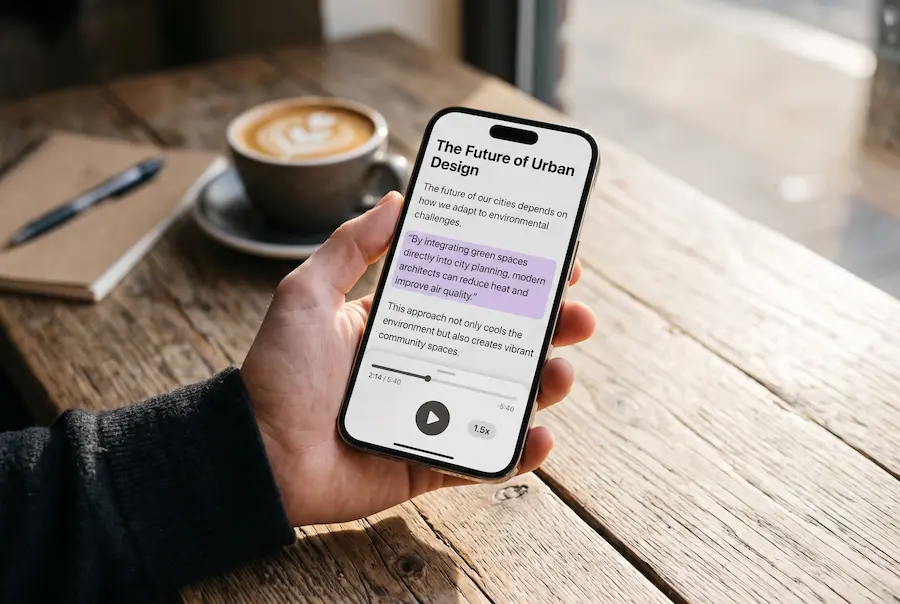
The trade-off is depth. If you want fine control over every pause and emotion, a more specialized platform will give you more levers. If you want speed, convenience and a gentle learning curve, Speechify is hard to beat.
Strengths
Easy to learn, polished on mobile, and great when you switch between devices.
Watch out for
Fewer advanced controls than tools built purely for voiceover professionals.
Best for: social media creators, students, professionals and accessibility-focused users who want a simple, mobile-friendly tool.
Descript: best for podcasts
Descript takes a different approach: you edit audio and video by editing the transcript. AI voice is one part of a complete production workspace.
Record or upload a file, let Descript transcribe it, then work on the words. Delete a sentence from the transcript and it disappears from the recording. No waveform hunting, no frame-by-frame cutting.
Illustrative mockup of transcript-based editing: remove filler words and patch a mistake without re-recording.
Voice cloning takes this further. Misspoke a number or want to add a missing line? Type it, and the AI says it in your voice. For podcasters, interview shows and tutorial channels, that cuts hours of post-production.
Descript is not a pure text-to-speech tool, and it is not meant to be. It is a workspace for recording, editing, captioning and publishing, with AI voice as a handy extra.
Strengths
Text-based editing is genuinely faster, and voice fixes save re-recording sessions.
Watch out for
A bigger learning curve than a simple TTS site, and you pay for features you may not use.
Best for: podcasters, interview channels, educators and video creators who spend more time editing than recording.
LOVO AI: best all-in-one studio
LOVO positions itself as a complete AI content studio: voices, video tools, script help and media assets in one creative space.
LOVO's pitch is versatility. Besides narration, you get video production tools, writing assistance and project management, so you can go from idea to finished video without switching apps.
Its wide voice library and multilingual support help if you publish educational, marketing or international content. The AI writing features also cut the time you spend on scripts and planning, which matters most to solo creators and small teams.
Quality can vary by language and voice, so test the exact voice you plan to use before building a workflow around it.
Strengths
Everything in one place, a large voice library and friendly pricing for small teams.
Watch out for
Realism differs from voice to voice and language to language, so audition before you commit.
Best for: solo creators, marketing teams, educators and agencies who want voice, video and scripting in one platform.
TTSMaker: best free option
TTSMaker is a simple, budget-friendly way into AI voice. It lacks the advanced features of premium platforms, but the free usage is generous and the workflow is easy.
Many AI voice tools restrict free accounts heavily. TTSMaker takes the opposite approach: paste text, pick a voice, export audio. There are no team workspaces or editing suites to learn.
The voices do not always match premium tools, but several are surprisingly good for everyday jobs like classroom material, internal presentations, prototypes and experiments.
One caution: if you plan to publish the audio commercially, read the current terms for the exact voices and plan you use.
Strengths
Almost no barrier to entry, quick results and a very easy interface.
Watch out for
No cloning, limited controls, and licensing details you should check before monetizing.
Best for: students, hobbyists, independent creators and anyone who wants to try AI narration before paying.
Notevibes: best for voice control
Notevibes suits creators who want hands-on control over delivery without the complexity of an enterprise platform.
What sets Notevibes apart is how much you can shape the result. Pacing, emphasis, tone, pauses and emotion are all adjustable, which helps with storytelling, character narration, ads and branded content.
It balances ease of use and power well. It is less famous than the biggest names, but if you find yourself fighting a tool because you want a line delivered differently, this kind of control is exactly what you need.
Strengths
Flexible delivery controls, multilingual voices and an approachable interface.
Watch out for
Smaller ecosystem than the big platforms, with fewer integrations.
Best for: narrators, marketers, educators and storytellers who care about how a line is delivered.
NaturalReader: best for study and reading
NaturalReader is one of the longest-running text-to-speech tools, with a strong focus on accessibility, learning and productivity.
NaturalReader is a listening tool first and a content creation tool second. Load an article, PDF, ebook or research paper and have it read aloud while you commute, cook or rest your eyes.
Its biggest strength is simplicity. You can start listening within minutes, with clean controls and wide file support. It is also useful for proofreading, because hearing your own text read back exposes awkward sentences fast.
If you want commercial voiceovers with cloning and advanced editing, look at the other tools. For personal learning and accessibility, it is hard to fault.
Strengths
Very easy to use, works across devices and handles many document types.
Watch out for
Limited cloning and production features for professional voiceover work.
Best for: students, researchers, professionals and anyone who wants to listen to written content on any device.
Voice cloning, licensing and consent
Cloning is the most exciting feature in this guide, and the one that needs the most care. A few simple habits keep you on the right side of both the law and your audience.
Illustrative mockup. The exact steps differ between platforms, but the order is almost always the same.
Only clone voices you have the right to use
Clone your own voice, or a voice whose owner has clearly agreed in writing. Never clone a celebrity, a colleague or a public figure without permission. Reputable platforms enforce this, and your account can be shut down if you ignore it.
Check the license of your exact plan
Free plans commonly exclude commercial use or require attribution. Commercial rights usually start on a paid tier. Keep a note of the plan you were on when you generated each project, because the license that applies is the one you had at that time.
Be open about synthetic voices
Some platforms, YouTube included, ask creators to disclose realistic synthetic content. Even where it is not required, a short line in the description builds trust, and most viewers do not mind a good AI voice when they know about it.
Side-by-side comparison
Here is how the eight tools line up on the points that matter most to creators.
| Platform | Free plan | Voice cloning | Commercial use | Best for |
|---|---|---|---|---|
| ElevenLabs | Yes | Paid plans | Paid plans | Most realistic voices |
| Murf AI | Limited | Higher plans | Paid plans | Video and team workflows |
| Speechify Studio | Limited | Higher plans | Paid plans | Short-form and mobile |
| Descript | Yes | Paid plans | Check your plan | Podcast and video editing |
| LOVO AI | Limited | Paid plans | Paid plans | All-in-one creator studio |
| TTSMaker | Yes | No | Check terms | Free testing |
| Notevibes | Limited | Check plan | Paid plans | Control over delivery |
| NaturalReader | Yes | Limited | Limited | Reading and study |
Plans, limits and licensing terms change often. Treat this table as a starting point and confirm the details on each provider's official site.
Which one should you pick?
There is no single winner, because the best tool is the one that fits how you work. If realism is your top priority, ElevenLabs sets the standard. If you are producing video, podcasts, multilingual content or just experimenting on a budget, a more specialized tool may serve you better.
Find the sentence that sounds like you, then start your test with that tool.
Quick recommendation: if you are unsure, start with ElevenLabs for professional work. If budget is your main concern, try TTSMaker or a free trial first, and compare the results using your own script before subscribing.
Conclusion
AI voice generation has moved from novelty to everyday tool. Technology that once belonged to broadcasters and big studios now sits behind affordable subscriptions and capable free plans.
Today's best tools do far more than read text. They clone voices, control emotion, translate across languages, support teams and plug into full production workflows, so you can produce professional narration faster and cheaper than traditional recording.
The smartest approach is simple. Start with a free plan, run the 60-second test from section 2 on two or three tools, and choose based on how your own script sounds. Then check the license before you publish anything that earns money.
If you publish at scale, a paid plan usually pays for itself through higher limits, commercial rights and better voice models. And as synthetic speech keeps improving, the creators who benefit most will be the ones who treat it as a way to spend less time on production and more on ideas.
Editor's note: prices, free-tier limits, licensing terms, languages and features change often. Before using a service commercially, always verify the latest details on the provider's official website.
Frequently asked questions
Which AI voice generator sounds the most realistic in 2026?
ElevenLabs is still the benchmark for realism, especially for long narration and audiobooks. Voice quality depends on your script and language though, so run the same short test script through two or three tools before you pay for anything.
Can I use a free AI voice generator for monetized YouTube videos?
Often not. Many free plans are non-commercial or require attribution. ElevenLabs, for example, keeps commercial rights for paid plans, which start at roughly $5–6 a month. Always read the licensing terms of the exact plan you use.
Can I clone my own voice with AI?
Yes. Several platforms, including ElevenLabs and Descript, let you create a digital copy of your voice from a short, clean recording, usually on a paid plan. Only clone your own voice or a voice you have written permission to use.
Do I have to tell viewers that a voice is AI-generated?
It depends on the platform and the content. Some platforms, YouTube included, ask creators to disclose realistic synthetic or altered content. Disclosing it is also a good habit for building trust. Check the current rules of every platform you publish on.
ElevenLabs or Murf AI: which one should I choose?
Choose ElevenLabs if voice realism and cloning matter most. Choose Murf AI if you want voiceover, video and team collaboration in one workspace. If you are unsure, test both with your own script.
Are AI voices good enough for audiobooks?
For many projects, yes. The best voices now handle long narration well. Review the audio carefully, fix mispronunciations, and check each bookstore or distributor policy on AI-narrated books before you publish.
💬 Comments