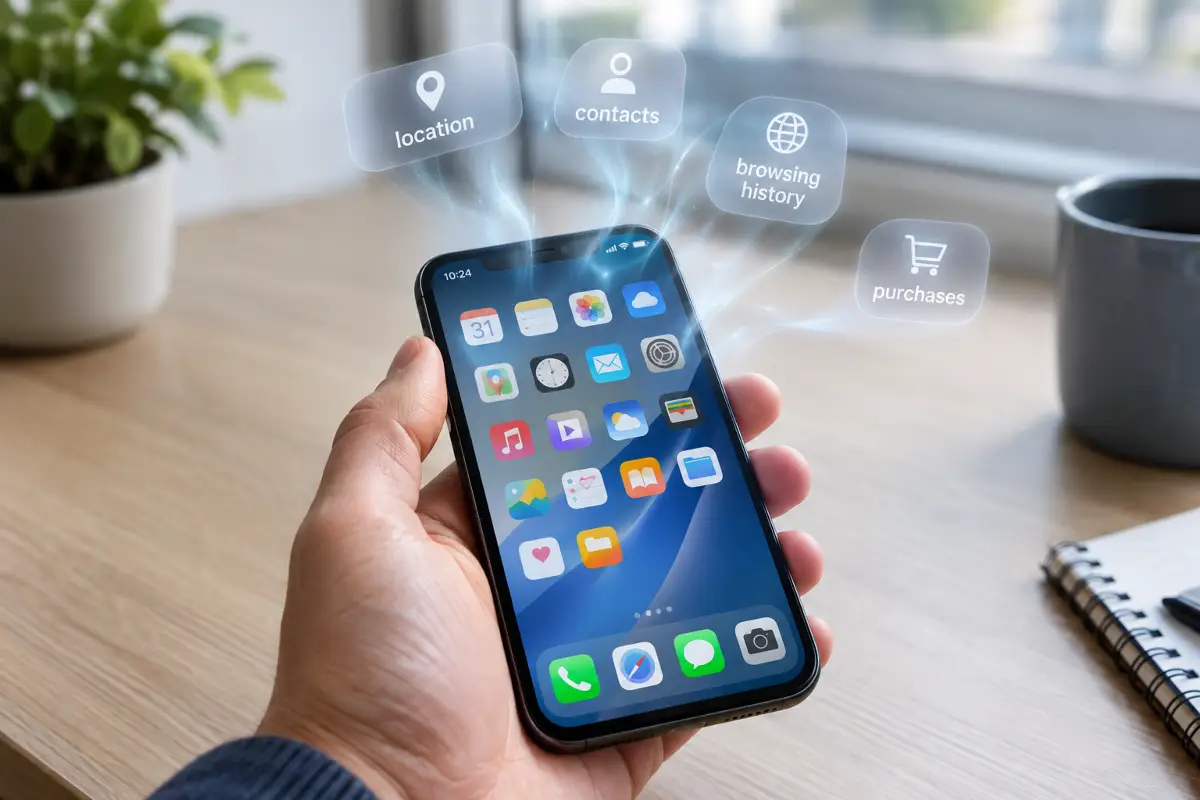
Most of us install an app, tap through the permission prompts in about four seconds, and never think about it again. Then a year later an advert appears for something you only ever said out loud, and it feels like magic. It is not magic. It is a paper trail that you agreed to, one prompt at a time. These five apps collect far more than they need to do their job, and in every case there is something better you can switch to today.
How we judge an app
The useful question is not "does this app collect data" — almost all of them do, and some of it is genuinely needed. The question is whether the collection is proportionate to what the app actually does. A map needs your location. A torch does not need your contacts.
There is now a decent way to compare apps side by side. Both Apple and Google require developers to declare what they gather, using a fixed list of categories, and those declarations sit on the store page before you install anything. Researchers use the same labels to rank apps against each other, which is how we get numbers rather than impressions.
One of those studies is worth knowing about. In August 2026 Surfshark examined 171 iOS apps published by Google, Apple, Microsoft, Amazon and Meta, scoring each one against 35 possible data types. Meta's apps averaged 25 of the 35, more than three times the average for Apple (7) or Microsoft (8), with Google on 17 and Amazon on 12. Those averages are the backdrop for everything below.
1. Meta AI
This is the one most people have not thought about, because it arrived quietly rather than as a decision anyone made. Meta AI sits inside apps you already had, and it also exists as a standalone app — and that standalone app currently holds an uncomfortable record.
Meta AI declared 33 of the 35 possible data types in the Surfshark study, the highest single score in the whole sample, followed by six other Meta apps on 32 each.
Think about what an AI assistant actually receives. Not clicks and likes, but questions. People ask a chatbot things they would not type into a search box: symptoms, money worries, arguments with a partner, what to do about a job. That content is qualitatively different from a browsing history, and when it lands with a company whose entire business is building advertising profiles, the combination deserves more scepticism than it usually gets.
There was also a lesson earlier in the product's life, when a "discover" feed surfaced conversations that plenty of users clearly had not realised were shareable. Nothing was broken, exactly. People simply assumed a chat window was private the way a notes app is private.
2. Facebook and Messenger
No surprises here, but the scale is still worth stating plainly. Messenger and Facebook each declared 32 of 35 data types in the same study, placing them among the seven hungriest apps analysed — all seven of which belonged to Meta.
What makes Facebook different from a normal advertising business is that the collection does not stop when you close the app. The tracking code embedded across other websites and other companies' apps keeps reporting back, which is why the profile is so much richer than your own activity on the platform would suggest. You are not only telling Facebook what you do on Facebook.
The practical move is not necessarily deleting your account. It is removing the app. The mobile website gives you the feed, messages and events, but it runs inside the browser, where it cannot read your contact list, watch your precise position in the background, or see which other apps are installed on the device. You lose push notifications. That is the whole cost.
3. The Amazon Alexa app
A voice assistant needs to hear you, so some collection is unavoidable. The issue is how far past that baseline the companion app goes. Alexa was the most data-hungry app outside Meta in the 2026 analysis, declaring 28 data types.
The reason it matters more than the number suggests is what the data describes. A smart speaker knows the shape of your day: when the house wakes up, when it empties, when the lights go off, which rooms are used, what gets ordered and how often. Layer a couple of smart plugs and a doorbell on top and you have a continuous occupancy log for your home. No individual data point is alarming. The pattern is.
There is also a change worth knowing about for anyone who had chosen the private option: Amazon retired the local-processing setting that let some Echo devices handle voice requests on the device itself. Requests now go to the cloud. If you picked that setting once and assumed it was still holding, it is not.
4. Free VPN apps
This is the painful one, because people install these apps specifically to protect their privacy. A VPN sees every connection your phone makes. That is what makes a good one useful and a bad one dangerous — and free apps have to make money somehow.
An academic study presented in 2026 tested 281 free Android VPN apps with a purpose-built auditing framework and found DNS leaks, plaintext traffic and weak tunnel configurations; more than 80% of them — 246 apps — contacted known advertising and tracking servers. Apps affected by at least one of the issues had been installed over 2.4 billion times between them, and only one app followed every security practice the researchers measured.
A separate look at the same dataset counted 29 apps leaking traffic outside the tunnel, 61 transmitting some unencrypted data, and 76 sending Android Advertising IDs, which can be used to track a device. An app that promises to stop tracking, while shipping a tracking identifier, is not a marginal failure. It is the opposite of the product.
One more thing that is widely misunderstood: a VPN does not hide you from the apps on your own phone. It hides your traffic from the network and from your internet provider. Facebook still knows it is you, because you are logged in.
5. Fitness and step-tracking apps
The last one is the category people defend hardest, and it is the one holding the most sensitive material. A running app has your resting heart rate, your sleep, your weight, and a GPS trace of where you go and when — which means it also has your home address, your workplace, and the fact that you leave the house at 07:10 every weekday.
In the same round of 2026 research, Fitbit declared 24 data types, with Strava and Nike Training Club also appearing among the data-heavy fitness apps. Health data is a separate legal category in most of Europe for good reason, and a route map is one of the few things that reliably identifies a person even after the name is stripped off.
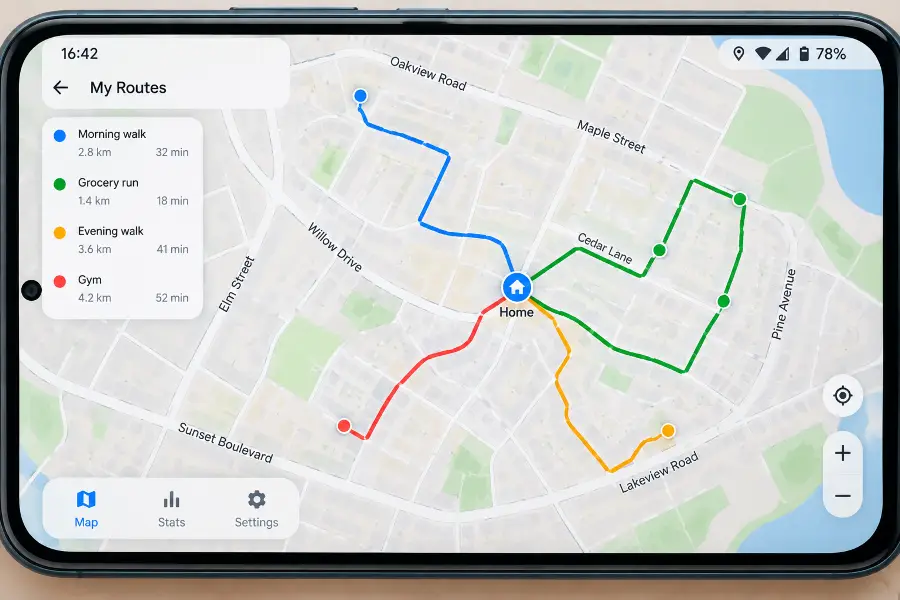
Nobody needs to give up running. Two settings do most of the work: turn on a privacy zone so the app hides the first and last few hundred metres of every route, and set activities to private by default rather than public. Then check whether the app has an "improve the service" toggle quietly sharing aggregated data with partners, and switch it off.
A twenty-minute cleanup
You do not need a project plan. On any modern phone this is four steps, and the first one finds most of the problems on its own.
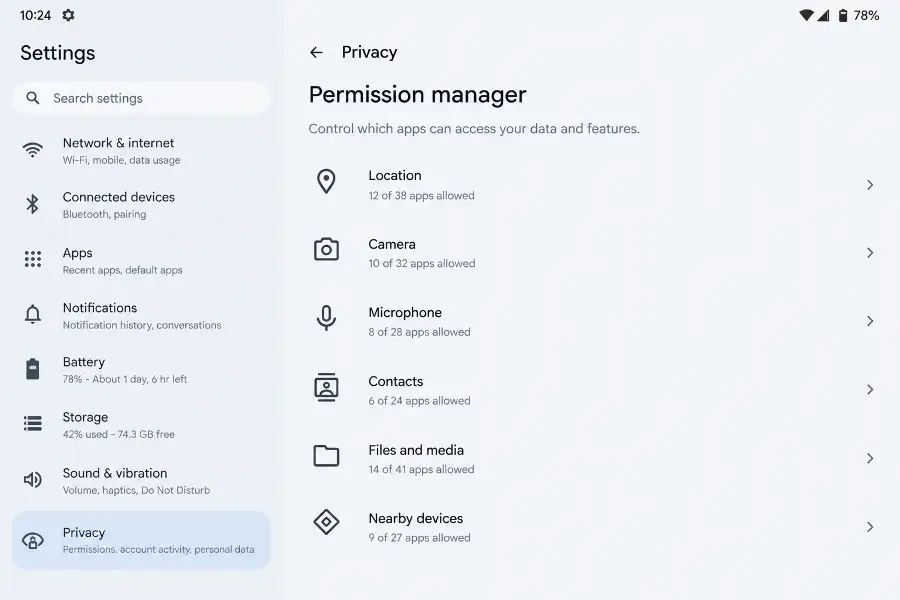
- Open the permission manager. On Android it is Settings, Privacy, Permission manager; on iPhone it is Settings, Privacy & Security. Go through Location, Microphone, Camera and Contacts and ask one question per app: does it need this to work? Deny anything that fails.
- Kill background location. This is the single highest-value change. Almost nothing outside navigation needs "Allow all the time". Setting everything else to "While using the app" ends continuous movement logging in one pass.
- Reset the advertising identifier. Android has "Delete advertising ID" under Privacy; iPhone has "Allow Apps to Request to Track", which you can switch off entirely. This breaks the thread linking your activity across unrelated apps.
- Delete what you have not opened in six months. Dormant apps keep their permissions and keep phoning home. They are pure cost with no benefit.
Then, for anything you removed, take the extra step people usually skip: go to the service's website and request deletion of the data already held. Uninstalling stops the tap. It does not empty the bucket.
My experience
I did this on my own phone before writing any of it, mostly because I suspected I was going to find something embarrassing. I did. A photo-editing app I had used exactly twice, eighteen months ago, still had "Allow all the time" location access. I have no memory of granting it and no idea why an editor would ask.
The permission sweep took nineteen minutes on a Pixel with 63 apps installed. Twenty-two had location permission; after the pass, six kept it, and only maps kept it in the background. Eleven apps had microphone access and four had a plausible reason for it.
The part I expected to regret was deleting the Facebook app, and it turned out to be the easy one. The mobile site does everything I actually used it for, and the phone gained roughly forty minutes of battery on a normal day — not because Facebook is uniquely greedy, but because an app that wakes up constantly to report location costs power every time it does.
The genuine loss was fitness. I had two years of history in a platform I decided to leave, and exporting it was tedious and partly incomplete. If you are going to change running apps, do it at the start of a season rather than in the middle, and export before you delete anything. That is the mistake I would undo.
The takeaway
None of this is about disappearing from the internet, and it is not about guilt over the apps you enjoy. It is about proportion. An app should collect what it needs to do its job, and when it collects five times that, the sensible response is to use the website instead, or install the competitor that does not.
The five above are the clearest examples, but the habit matters more than the list. Check the privacy label before you install, deny the permission that has nothing to do with the feature you wanted, and revisit the whole set twice a year. Twenty minutes, every six months, buys back most of what is quietly being taken.
💬 Comments