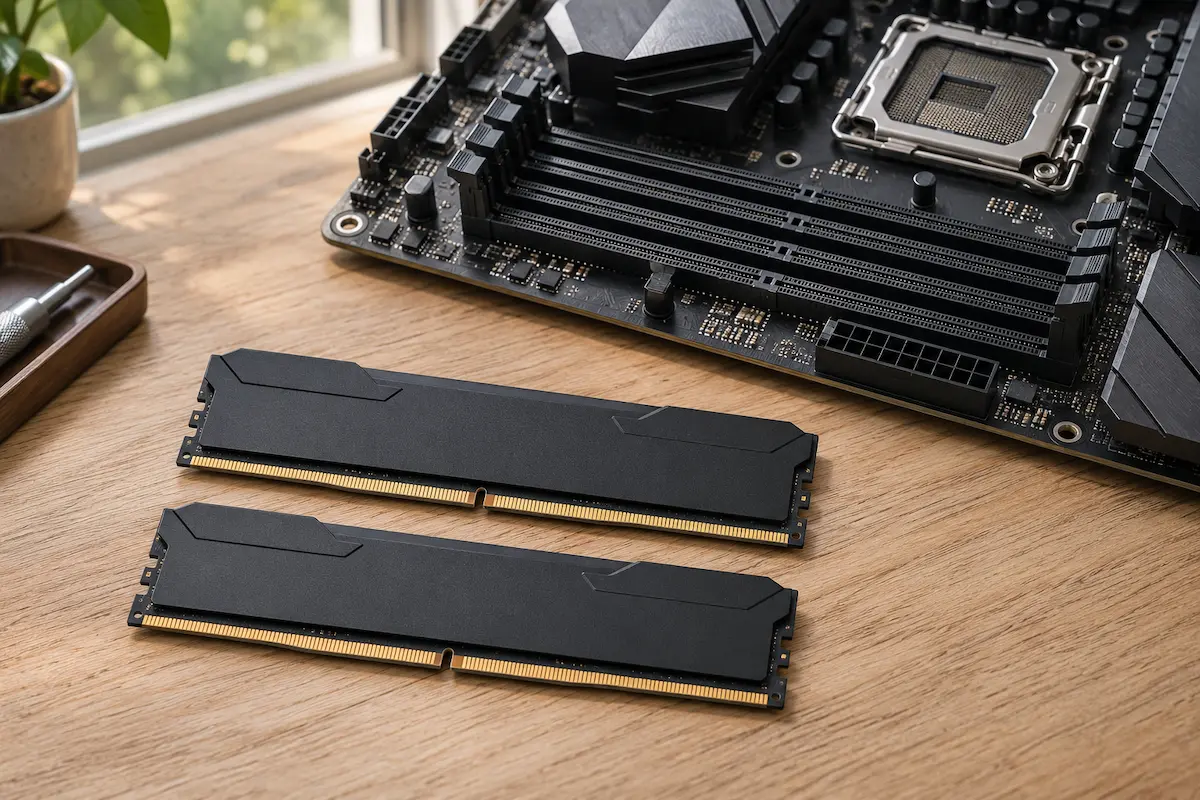
Buy DDR5 if you need a compatible PC now. Keep your current memory if it is already enough. Wait if your PC does its job and you want to see real DDR6 products, prices and tests first.
In the comments on our DDR6 versus DDR5 video, one viewer asked a good question: will DDR6 flood the market with cheap second-hand DDR5? It might help a little, but it is not something to plan your budget around. DDR6 is still years away, and right now DDR5 is far more expensive than it was a year ago. Here is how to decide without counting on a price drop or a launch date nobody has announced.
What has actually been announced for DDR6?
On 18 November 2026, JEDEC, the organisation that sets the official standards for computer memory, published an early preview of DDR6. It is a preview, not a finished standard, and JEDEC says the details can still change before it is approved.
The preview points to three big changes. DDR6 would start at 12,800 MT/s, compared with 4,800 for the first DDR5 (MT/s is simply a speed number: higher means more data moved per second). It would use a wider 96-bit connection. And the stick itself gets much shorter: 74 mm instead of 133 mm for a desktop DDR5 module. Memory generations have never been interchangeable, and DDR6 changes the design again, so you should expect it to need new motherboards.
What the preview does not give you is a date. It does not say which speeds desktop kits will use, or when a processor, motherboard and memory kit you can buy will appear. New memory usually reaches servers first. Some industry watchers guess that desktop DDR6 is around 2029 or later, but that is a guess, not an announcement.
You may also see headlines about other memory types, such as LPDDR for laptops, GDDR for graphics cards, or server memory. Those launches do not tell you when desktop DDR6 kits will be on shelves. Before a headline makes you delay a purchase, check that it is about the kind of PC you plan to build.
Why DDR5 costs so much right now
If you last priced RAM a year or two ago, the numbers may come as a shock. Since late 2025, a worldwide memory shortage, driven largely by AI data centres buying up chips, has pushed DDR5 prices sharply higher. Price trackers and retailers this autumn show a 32 GB DDR5-6000 kit at roughly $400 to $480 in US shops. A year earlier, the same kind of kit often cost around $80 to $120. Prices differ by country and by shop, so check your own.
Memory makers do not expect a quick fix. Team Group’s chief executive said on 2 November that he expects the worst of the shortage between the last quarter of 2026 and the second quarter of 2027. Other makers have warned that supply could stay tight into 2027 and 2028. These are company forecasts and they can change, but none of them promises cheaper memory soon.
This changes the “wait for DDR6” question. DDR6 is years away, and its first products will probably be expensive too. So waiting for DDR6 is not a way to save money. Waiting for the shortage to ease is a different thing, and nobody can tell you when that will happen. The practical rule is to buy the capacity you really need and skip extras such as RGB lighting or more gigabytes than you will use.
If you need to build a PC now, buy for that build
Start with the processor and motherboard you want. Then pick memory the board supports, with enough capacity for the programs you use. For example, AMD lists DDR5 for the Ryzen 7 9700X, and Intel lists DDR5 support for the Core Ultra 7 265K. Your exact motherboard still decides which stick layouts and speeds it can use, so check its memory support list.
Price the processor, motherboard and memory together. A discounted kit can look great on its own while the rest of the platform makes the whole build expensive. Include delivery, anything else you must buy, and the parts you can reuse. When you compare two builds, keep the memory capacity the same so the totals answer the same question.
Decide when you actually need the PC. If it replaces an unreliable work machine, waiting has a real cost. If it is a hobby build with no deadline, you can take your time. Either way, buy the memory when you have a compatible build planned. Buying it months before the other parts leaves you less time to test it or return it.
If you already have DDR5, check what is slowing you down
Recreate the problem before you shop. If your video editor slows down when a large project is open next to a browser and other apps, open that exact mix. In Windows, press Ctrl + Shift + Esc to open Task Manager, go to Performance and click Memory. You will see how much memory is in use and how much is still available. Look while the slowdown is happening, because the numbers after you close the project can tell a different story.
If you keep running short of available memory during those slowdowns, a capacity upgrade is worth looking into. A high reading on its own proves little. If plenty of memory is still free and your graphics card is already maxed out in the game you want to speed up, look at the graphics card first. The upgrade should match the problem you can actually see.
Check the exact kit and slot layout
Look up your motherboard model and its memory support list, or the PC maker’s specifications if you bought a ready-made PC. Confirm the supported module type, capacity, number of sticks and which slots to use. On some systems, four sticks run at a lower speed than two, and mixing kits from separate packages can cause stability problems at advertised overclocked speeds.
For example, if a 16 GB setup regularly runs short during editing, compare the price of one supported 32 GB kit with the cost of adding to what you have. A single kit made for your board is often the easier choice. If your PC handles your projects comfortably today, keeping the money for later may be the better move.
Will used DDR5 become a bargain?
A new generation gives people a reason to sell their old kits. But how many listings appear, what condition they are in and what buyers will pay are separate questions. With today’s shortage, used DDR5 may hold its price better than usual. The comment that inspired this article mentioned data centres. A second-hand server module can look like a bargain in a search result, but it is useless if your desktop cannot use it. Check whether the listing is for a desktop stick (often labelled UDIMM), a server stick (RDIMM) or a small laptop module (SO-DIMM).
Compare the full delivered price of a used kit with an equivalent new one. Then look at the return window, whether any warranty passes to a second owner, and whether you can test the modules quickly. A small discount is not worth much if the new option gives you an easy return. A bigger discount can make sense when you know the kit is compatible and the seller gives you time to test it.
Ask for a clear photo of the labels and the full part number. For a two-stick kit, confirm that both sticks are included and that they are the original matched pair. A cheap listing for one stick makes a poor comparison against a complete kit. If you can already find a deal that passes these checks, you have a real offer to judge today.
When waiting for DDR6 makes sense
Waiting makes the most sense when your current PC is good enough and replacing it is optional. In that case you can let the market give you evidence. First, look for an announced consumer processor with compatible motherboards. Then look for memory kits that are really in stock where you buy, with prices and capacities you can compare. Early availability somewhere else does little for your budget.
Next, look for independent tests in the programs you use. A big speed number tells you how much data the memory can move. It does not tell you how much sooner your video will export or whether your game will feel smoother. Tests of complete systems help, but when the processor and memory change together, be careful about crediting the memory alone.
Set a point to look again. For example, decide to compare once both platforms offer enough memory for your work at a price you can afford, or on the date you need to order parts. That turns waiting into a choice with an end point.
| Your situation | Best starting point | What to check |
|---|---|---|
| You need a new PC now | Buy compatible DDR5 with the rest of the build | Total platform cost and kit support |
| Your DDR5 PC runs short of memory | Look at a capacity upgrade | Memory use during slowdowns and supported slots |
| Your current PC still meets your needs | Keep it and compare when complete DDR6 builds are available | Local prices and independent tests in your apps |
Checks before you order
- Save the full motherboard and memory part numbers. A product family name can cover kits with several capacities and speeds.
- Right-size your purchase. In today’s market, 32 GB suits most people, and RGB lighting adds cost, not speed.
- Keep a note of the total you would actually pay, including delivery. Comparing a sale on one stick with the regular price of a two-stick kit gives a misleading picture.
- Check when the return window starts. If you cannot build and test the system soon, consider buying the parts together instead of one at a time.
💬 Comments